How to Change Facebook Layout or Facebook Template – To change Facebook layouts actually is easy and can be done with just a few steps. To change the layout of Facebook, users should allow Yantoo Layers application as layout sources for your Facebook template.
How to Change Facebook Layout
Ok here’s the steps to change the display Facebook Layout:
1. Log In / Login to your Facebook account
2. Install Plugins Add-on Yontoo Layers in www.yontoo.com/install.aspx, the select Firefox (windows or Mac)
3. Select “accept & continue” in the new Terms of Service
4. Install Yontoo Layers for firefox, after “Ready” is checked, click “Start Install”
5. Click “Allow” in the upper-right corner
6. Click “Install now”, and then “restart Firefox”
7. The following steps, please Login to your Facebook Account,
8. Then click on the link http://apps.facebook.com/pagerage/
9. Then please click “Allow”.
10. Now you can choose Facebook Layout that you want, click to select the layout on the link “select” in the image layout.
That’s how to change display Facebook layouts, and later We will show how to change Facebook Background and share list Web sites of Facebook Layouts sources.
How to Change Removable Disk Default Icons..
If you are bored seeing the default look of removable drives in Windows, here PCtricksgsm.blogspot.com got the solution, The Removable drive looks like this ok this is the default icon so lets make an interesting deferent come on join with us.... follow these simple steps..
 ok this is the default icon so lets make an interesting deferent come on join with us.... follow these simple steps..
1. First step is to find a good icon which will represent the removable drive. Make sure that the image has .icoextension. here get some grate look .ico files http://www.iconarchive.com/
2. Open Notepad. Type in whatever is given in the image.

Here Label denotes the text which you want to display in My Computer when the drive is connected and Icon represents the icon image name. Save this file as autorun.inf.
3. Copy both files (autorun.inf and Icon file) to your removable drive. You can make both files as hidden, if don’t want to see those files when you are connected to drive
Now unplug the drive and connect it back to USB and now you can see the effect of your customizations.
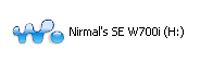 :) here u got that enjoy
http://pctricksgsm.blogspot.com/ http://pctricksgsm.blogspot.com/ http://pctricksgsm.blogspot.com/ http://pctricksgsm.blogspot.com/
Subscribe to:
Posts (Atom)
